FBA, FBN, or seller fulfillment: who stores and ships the product?
Amazon and noon programs assign storage, preparation, and delivery to different parties. Trace the product's journey before choosing one.
Separate storage from delivery
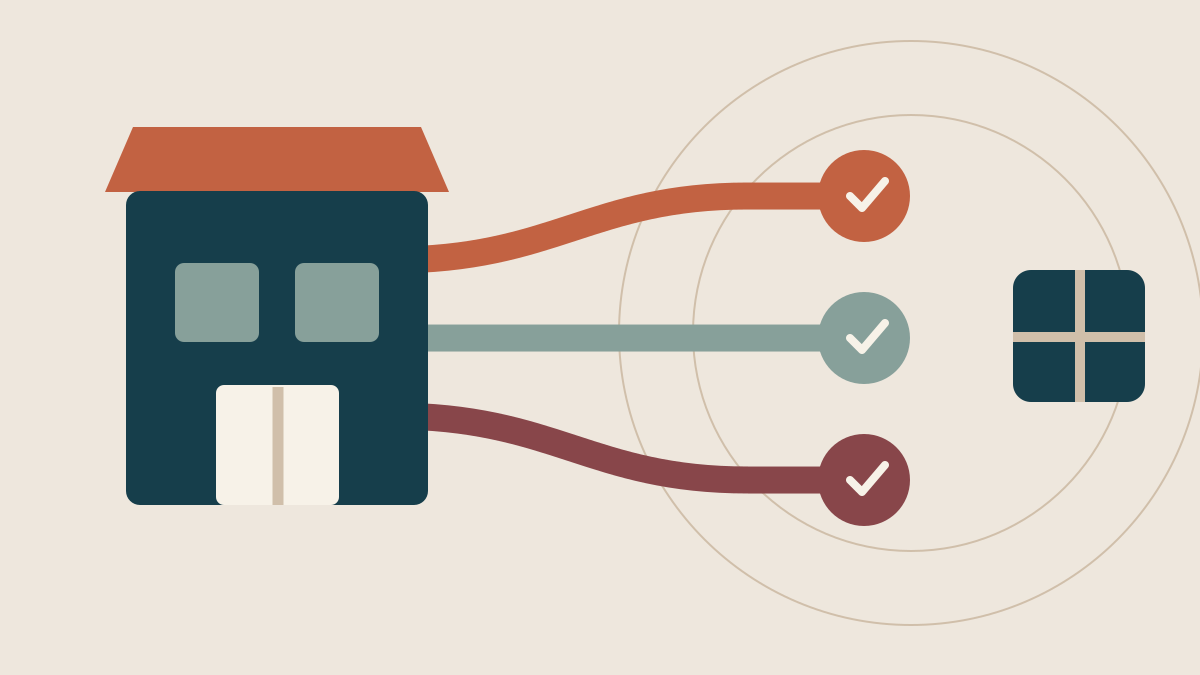
A seller who says a product ships through Amazon might mean one of three routes. With FBA, units go to an Amazon fulfillment center. Amazon stores them, prepares and ships orders, and handles customer service and returns for those orders. With Easy Ship, the seller holds stock and packs the parcel, while Amazon delivers it. With Self-Ship, the seller stores, packs, and ships using a chosen carrier. These are the distinct routes described in Amazon Saudi Arabia's seller guide. [1]
On noon, FBN means the seller sends units into a noon warehouse, where noon handles storage, picking, packing, and shipping. Under FBP Direct Ship, the seller keeps the stock, prepares the order, and hands the parcel to noon logistics for delivery. Reducing FBN and FBP to the question of who delivers obscures the earlier handoff. The point at which the goods leave your operation determines which warehouse tasks your team still has to perform. [2]
Take one product and draw its path from receipt through delivery to the customer. Where are units before an order arrives? Who takes one from the shelf, packs it, and applies the required label? Who receives the parcel next? Who can see its status if a delivery is delayed? If the answer is unclear, the program name is not yet enough to make the choice. Check current product eligibility and handling rules in the marketplace you plan to use. Similar handoffs do not imply identical terms.
Measure the time until stock is sellable
Marketplace-held stock has an inbound journey before the first customer order. Amazon describes FBA as preparing a shipment, sending units to its fulfillment center, and waiting for receipt and availability for sale. noon describes an inbound shipment process for FBN inventory, while FBP relies on the seller's warehouse and quantity against the listing. Moving stock into a program is therefore more than changing a setting in a seller portal. [1] [3]
When the product stays with you, your operation needs storage space, someone to pick and pack, and a parcel handoff under the program's requirements. When stock goes to a marketplace, do not assume it becomes sellable the moment your carrier collects it. Measure the gap between departure from your warehouse and acceptance at the fulfillment center. During that gap, the units should no longer be offered as if your own warehouse could dispatch them. Record the time from supplier order to sellable listing. If stock is delayed, separate supplier lead time, your warehouse preparation, and marketplace receipt.
FBA / FBN
- Storage
- Marketplace
- Packing
- Marketplace
- Delivery
- Marketplace
Easy Ship / FBP Direct Ship
- Storage
- Seller
- Packing
- Seller
- Delivery
- Marketplace
Amazon Self-Ship
- Storage
- Seller
- Packing
- Seller
- Delivery
- Seller
Grouped by handoff only. FBA and FBN, and Easy Ship and FBP, have different eligibility, fees, and returns rules. Check current Amazon and noon terms.
Assign responsibility for orders and returns
Marketplace-held stock creates a different order workflow from a parcel your team packs. Amazon says FBA includes customer service and returns for its orders. With Easy Ship and Self-Ship, you still hold the product and prepare the order before the delivery handoff. In noon Direct Ship, the seller picks and packs before passing the parcel to noon logistics. Those core responsibilities are clear in the program descriptions; exceptional cases and returns still require a check of the terms that apply to your current account. [1] [2]
Work through four cases on paper before a trial: an on-time order, a delay before packing, a parcel that could not be delivered, and a return after the package has been opened. Who receives each notification? Who decides the next action? Where is the unit recorded afterward? A returned item should not automatically re-enter sellable stock simply because it arrived back at a warehouse. Inspect its condition under your process and the marketplace's rules. This exercise shows where your team still needs an owner and a procedure, even when a marketplace handles final delivery.
Compare the full cost for the same product
Do not compare the headline delivery charge alone. For marketplace-held stock, consider selling, fulfillment, storage, and any applicable service charges. For seller-held stock, include packaging, staff time to prepare each parcel, your carrier cost, and storage in your own facility. Amazon publishes fees that vary by category, fulfillment route, product size, and weight. noon says its fees differ between FBN and FBP. Use the current tables for the actual product and market instead of one percentage across the catalog. [4] [3]
Suppose a product has the same sale price under two routes. One might leave more margin per order but take longer to become available inside a fulfillment center. The other might show a lower marketplace fee while consuming daily picking and packing capacity in your warehouse. Compare product cost, selling fees, storage, packaging, delivery, and expected returns over the same period. Then ask whether your team can fulfill the likely order volume on time. The cheapest fee line is not necessarily the least expensive operation.
Be explicit when allocating a fixed cost across orders. Moving one product into FBA or FBN will not automatically remove a warehouse employee's salary or immediately reduce your lease. Separate costs that will actually change after the move from costs that will remain. You can then compare the incremental cost and the capacity freed for other products. Without that distinction, a program switch may look profitable in a spreadsheet while changing little in your monthly spending.
Trial a small, varied product set
Marketplace storage may suit an item with steady demand and predictable replenishment, while a bulky or seasonal item may call for another trial. These are questions to test, not blanket eligibility rules or promises about delivery speed. Choose two or three products with different dimensions, demand patterns, and margins. Calculate the available routes for each. Check packaging requirements and product eligibility before committing a large quantity; approval to sell an item in a marketplace does not necessarily qualify it for every fulfillment program.
Start with enough stock to learn, not so much that a mistaken forecast is costly. Measure time until inbound units become sellable, orders shipped on time, returns, days of inventory cover, and margin after route-specific fees. Compare with a nearby period for the same product, noting promotions, price changes, and stockouts. Those factors can alter orders even if the fulfillment route did not change. One successful order is too little evidence; waiting until all stock is depleted leaves no room to adjust.
Revisit the choice at each replenishment
Your brand may end up using several routes at once: some products held by a marketplace, others in your warehouse, and possibly more than one marketplace for a product. Do not make a program name a catalog-wide policy. Keep a record for each product showing where its units sit, which route serves each listing, the cost per order, and the next replenishment date. When fees or demand change, rerun the comparison with current numbers rather than relying on a decision made months earlier.
Sources
- Amazon Saudi Arabia: seller guide and FBA, Easy Ship, and Self-Ship
- noon Seller Help Center: FBN and FBP after registration
- noon: seller onboarding and FBN/FBP inventory FAQ
- Amazon Saudi Arabia: fees by fulfillment method